Reverse Engineering - A Classic Injection
https://blueteamlabs.online/home/challenge/reverse-engineering-a-classic-injection-9791a9b784
Scenario
Analyze the attached EXE sample and find answers to the following questions. Note: The EXE uses shellcode generated by the Metasploit attack framework. Make sure you analyze the sample in contained environment (we recommend a virtual machine where internet access is disabled).
Challenge Questions
What is the name of the compiler used to generate the EXE?
Initial static analysis using Detect It Easy (DiE) identified the compiler as Microsoft Visual C/C++.
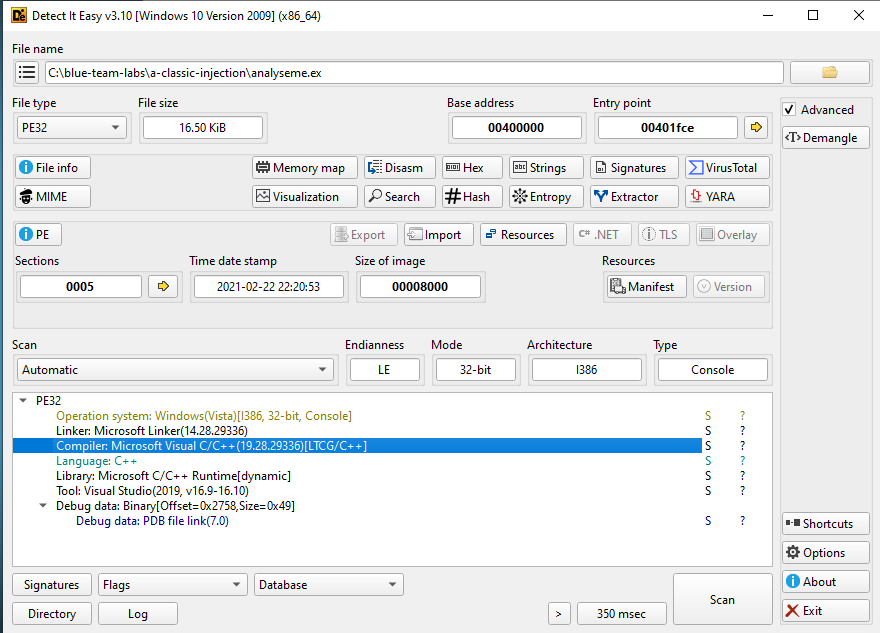
Figure 1: The Detect It Easy (DiE) interface showing the compiler identification.
This malware, when executed, sleeps for some time. What is the sleep time in minutes?
Disassembly of the main function in IDA revealed a call to the Windows Sleep function. This function accepts a DWORD value representing the suspension duration in milliseconds. The value passed to the function is 2BF20 (hexadecimal), which converts to 180,000 milliseconds.
180,000 ms / 1,000 ms/sec = 180 seconds
180 seconds / 60 sec/min = 3 minutes
The total configured sleep time is 3 minutes.
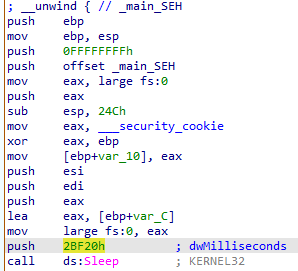
Figure 2: The main function disassembly view in IDA.
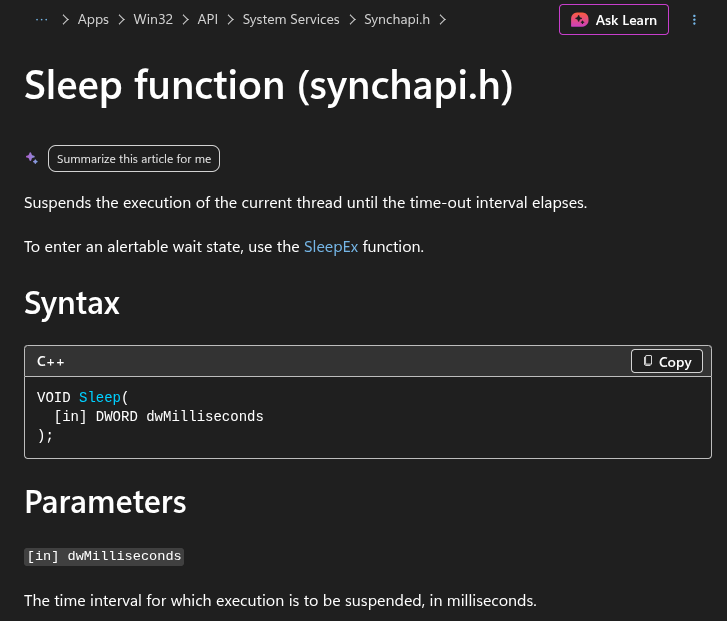
Figure 3: The Sleep function documentation provided by Microsoft.
After the sleep time, it prompts for user password, what is the correct password?
Moving down the main function the string "btlo" can be seen.
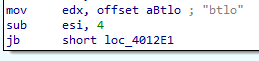
Figure 4: The hardcoded password string in main.
What is the size of the shellcode?
Inspection of the parameters passed to the memory allocation functions during the injection phase revealed the shellcode size. The dwSize (or nSize) parameter passed to VirtualAllocEx is set to 1D9 in hexadecimal, which converts to 473 bytes.
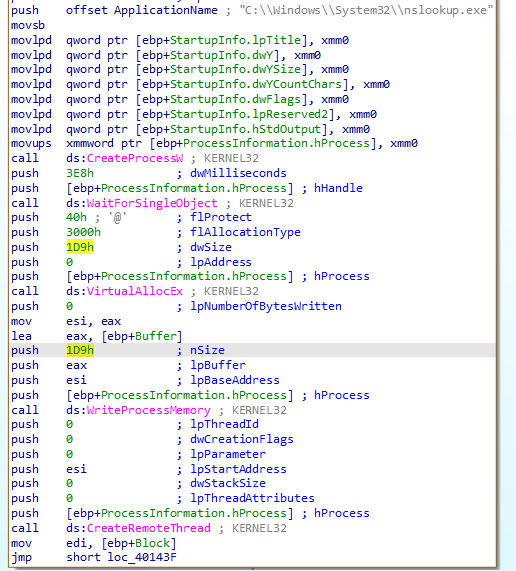
Figure 5: Shellcode with its size listed.
Shellcode injection involves three important windows API. What is the name of the API Call used?
CreateProcessW: Spawns the target host process in a suspended state.VirtualAllocEx: Allocates an available region of memory within the virtual address space of the target process.WriteProcessMemory: Writes the shellcode payload into the newly allocated memory space.CreateRemoteThread: Initiates execution by creating a new thread within the context of the remote process.
What is the name of the victim process?
The process being hijacked is nslookup.exe, and can be seen at the top of Figure 5.
What is the file created by the sample?
Because static string analysis yielded limited indicators, dynamic analysis was performed using ProcWatch inside an isolated FlareVM virtual machine. After the 3-minute execution delay elapsed, the malware spawned a Base64 encoded PowerShell command. Decoding the payload via CyberChef exposed the underlying script responsible for creating the output file.
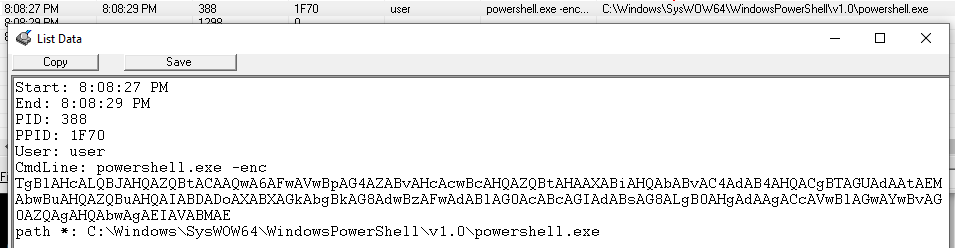
Figure 6: Base64 encoded malware payload.
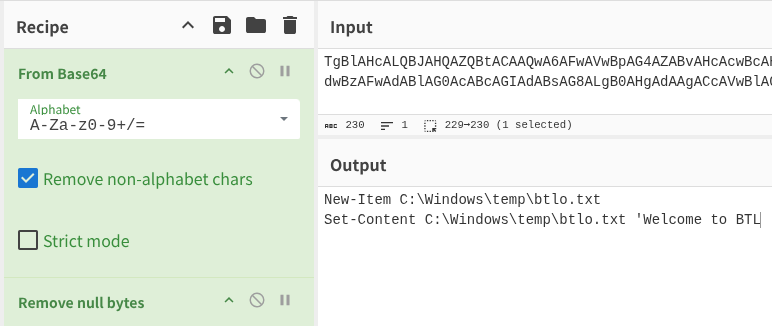
Figure 7: Base64 decoded malware payload.
What is the message in the created file?
Welcome to BTL
What is the program that the shellcode used to create and write this file?
powershell.exe